
The Ultimate Substack Analytics Guide (For Beginners)
Where to look, what the data means, and what to do with it.


Howdy, Wealth Gang🤠
You published three newsletters this month.
You checked your subscriber count every day.
And when someone asks how your Substack performs, you say “pretty good, I think.”
That “I think“ is the problem.
Most early creators run their newsletter the same way someone drives at night with no headlights.
Moving forward, but with no real idea of what’s ahead or what they just missed.
They celebrate a new subscriber.
Feel deflated when one unsubscribes.
Make their next content decision based on a gut feeling instead of actual data.
Growing a Substack without checking your analytics is just guessing in disguise, and when you’re already squeezing writing time into a packed schedule, guessing is the MOST expensive thing you can do.
This article fixes this costly mistake. (No data science degree required)
What You Will Walk Away With Today:
✓ Where to find your analytics inside Substack
✓ The metrics that actually matter when you’re starting
✓ A simple monthly AI-powered review process you can do in under 10 minutes
Let’s get into it.
The Dashboard Tour
Let’s keep this extremely simple.
You don’t need to memorize your entire Substack dashboard. At this stage of your newsletter, there is really only one place you need to visit regularly.
The new subscribers page, you find it here:
You now see a list of sources:
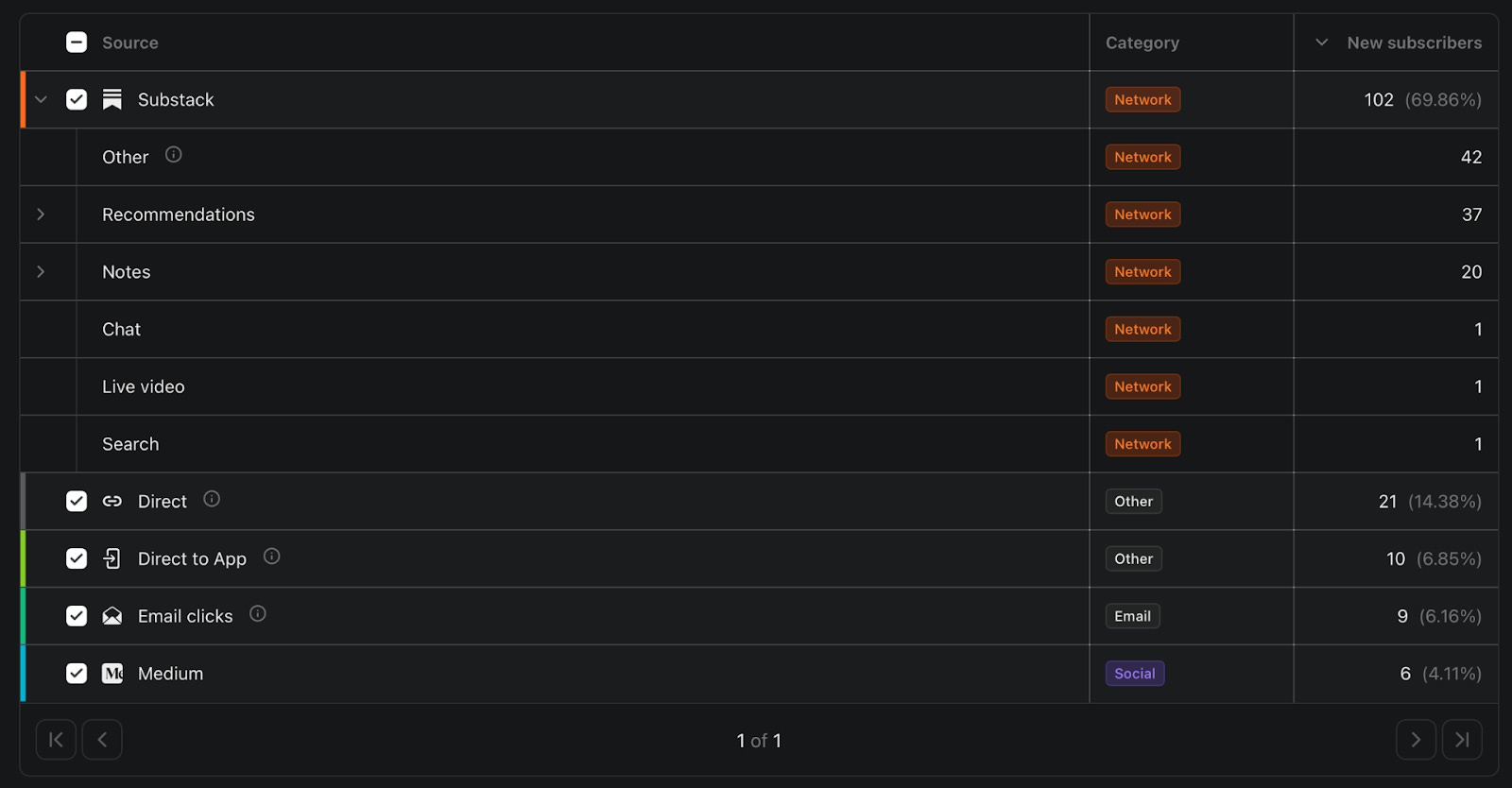
Let’s break down the parts that are not so obvious.
The “Other” Mystery
There’s probably a big chunk of your subscribers coming from the source called “Other”.
Substack’s official explanation for that one:
“These users arrived at your content via a link somewhere else on the Substack website or app, for example a profile page, their inbox, or a direct message.”
What Substack actually means:

Substack has no idea where they came from, but don’t stress about it. Just know it exists, and focus on the sources you can actually influence. :)
The Expandable Rows
Next to Recommendations and Notes, you’ll spot a small arrow on the left. Click it and the row expands. You see exactly which newsletters and Notes brought you subscribers.
We’ll dig into how to use all this data in the next section… :)
AI-Powered Data Analysis
Now that you know where to look, let’s talk about what to actually do with what you see.
Take a screenshot of your new subscribers dashboard.
Open ChatGPT.
Upload the screenshot and use this prompt:
“This is my Substack subscriber source breakdown. Based on this data, give me a full breakdown on my best and worst performing sources, and give me a gameplan to maximize my subscriber growth in the next 30 days, based on this data as a time-constrained creator.”
You just turned a confusing dashboard into a clear action plan in about 90 seconds.
Now let’s turn this one-time process into something repeatable. :)
The Monthly Review Process
The creator who checks their data once a month and adjusts will always outperform the one who guesses for a year.
Checking analytics once means nothing; checking them consistently changes everything, but “be consistent“ is the kind of advice that sounds good and does nothing. So instead, here’s a dead-simple monthly review process you can do in under 10 minutes:
Pick one day at the end of every month, and put it in your calendar like a meeting you can’t cancel.
When that day comes, open your new subscribers page, open ChatGPT, upload screenshots of the current month + last month, and use this prompt:
“These are my Substack subscriber source breakdowns from two consecutive months. Compare them and tell me: what changed, what’s improving, what’s declining, and based on this data, give me a gameplan to maximize my subscriber growth in the next 30 days as a time-constrained creator.”
This is how you turn raw data into actual decisions without it eating up your evening.
Where To Track And Manage All Of This
You need somewhere to save your monthly screenshots and keep track of your decisions before you forget them.
Here’s how I do it… I keep everything inside my Substack HQ. My screenshots live there, my monthly subscriber goals, whether I hit them, and my one key decision for the month ahead.
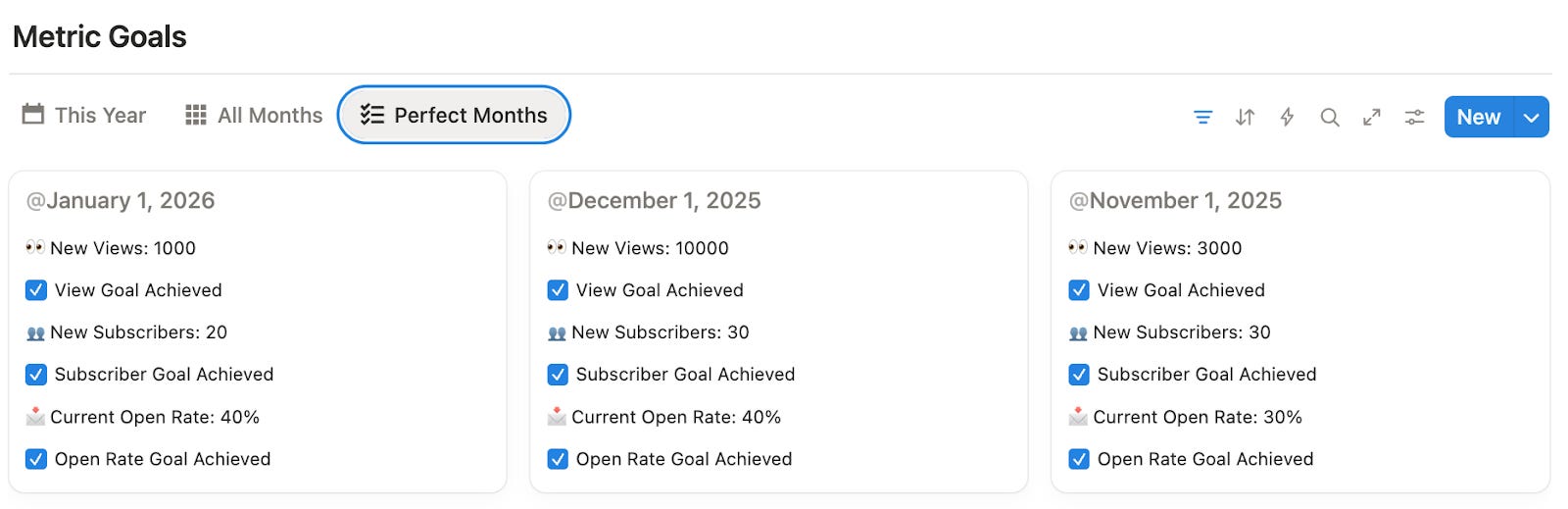
It also has a dedicated prompt library section where I save all my most useful ChatGPT prompts (including the ones from this article.)
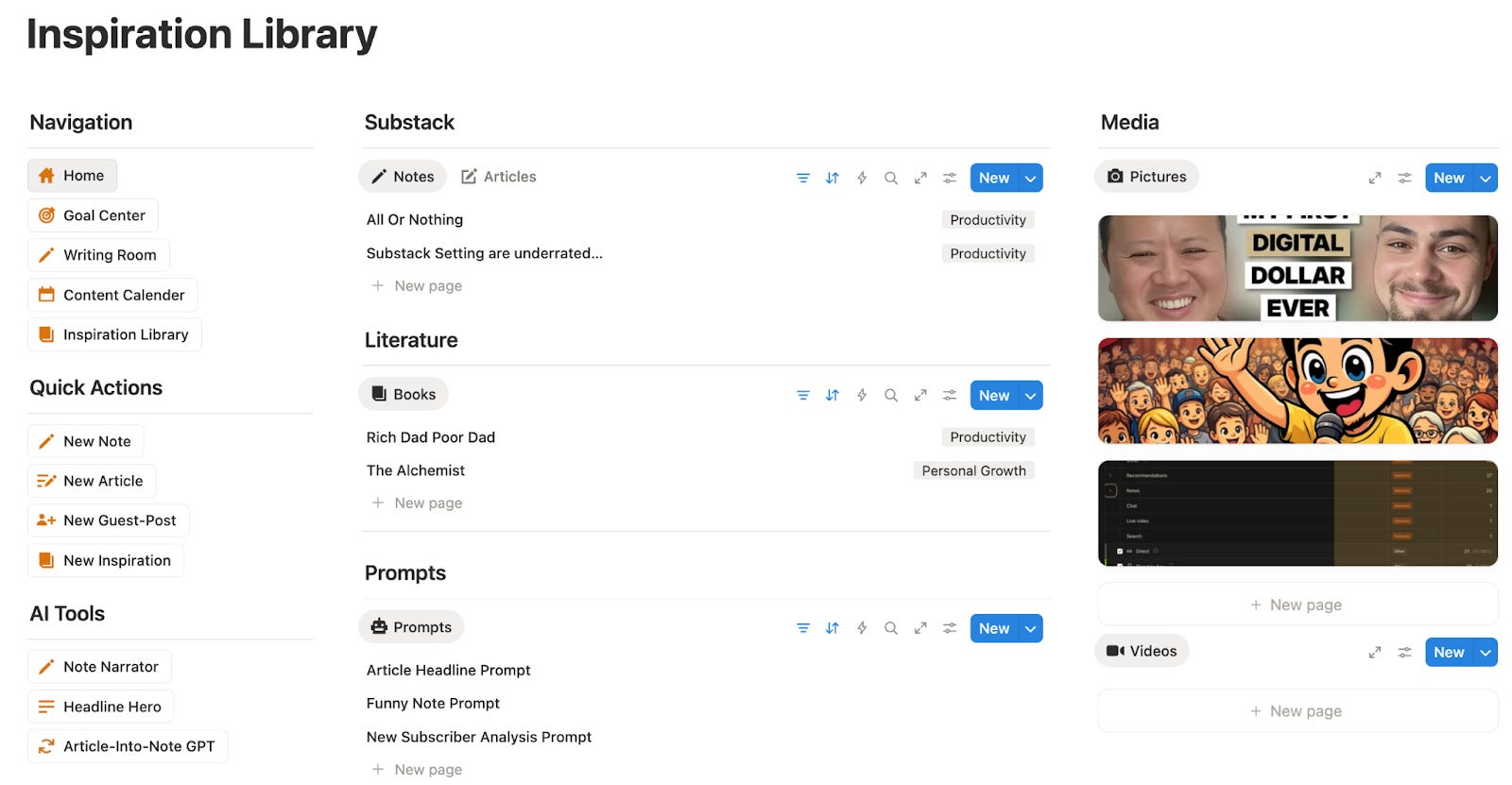
If you’re not committed to building your Substack business and you are just “trying it out”, no problem. Create a folder on your desktop, name it “Newsletter Reviews,” drop your screenshot in at the end of every month, and you’re good to go. :)
One Last Thing Before You Close This Article
Most creators will read this, nod along, and never open their dashboard.
Don’t be like most creators.
You now know exactly where to find your numbers, what they mean, and how to turn them into one clear decision every month.
The whole system in 30 seconds:
1. Open your new subscribers page once a month
2. Screenshot the dashboard
3. Drop it into ChatGPT with the prompt from this article
4. Make a decision and act on it.
That’s it, no wasted evenings staring at numbers that don’t tell you anything.
If you liked this analytics breakdown, you’ll love the Substack Side-Hustle Sprint.
It’s a free 5-day masterclass I created to take you from Substack newbie to building the base for your Substack business that generates $2K/month and replaces your 9-5.
Subscribe to Write Your Way To Wealth and get it for free
See ya soon
Timo Mason🤠
Liked this post? 2 ways you can support me
Share it with a creator friend who will benefit.
Ask a question or share your thoughts in the comments.