

THE Gumroad Gameplan: Speed-Run To Your First $1K
Everything we learned launching 100+ products and making 48,000+ sales so you can get your first $1K as fast as possible


Howdy, Wealth Writers🤠
You’re thinking about creating your first digital product.
You heard about this software called Gumroad, so you create an account and then you see something like this.
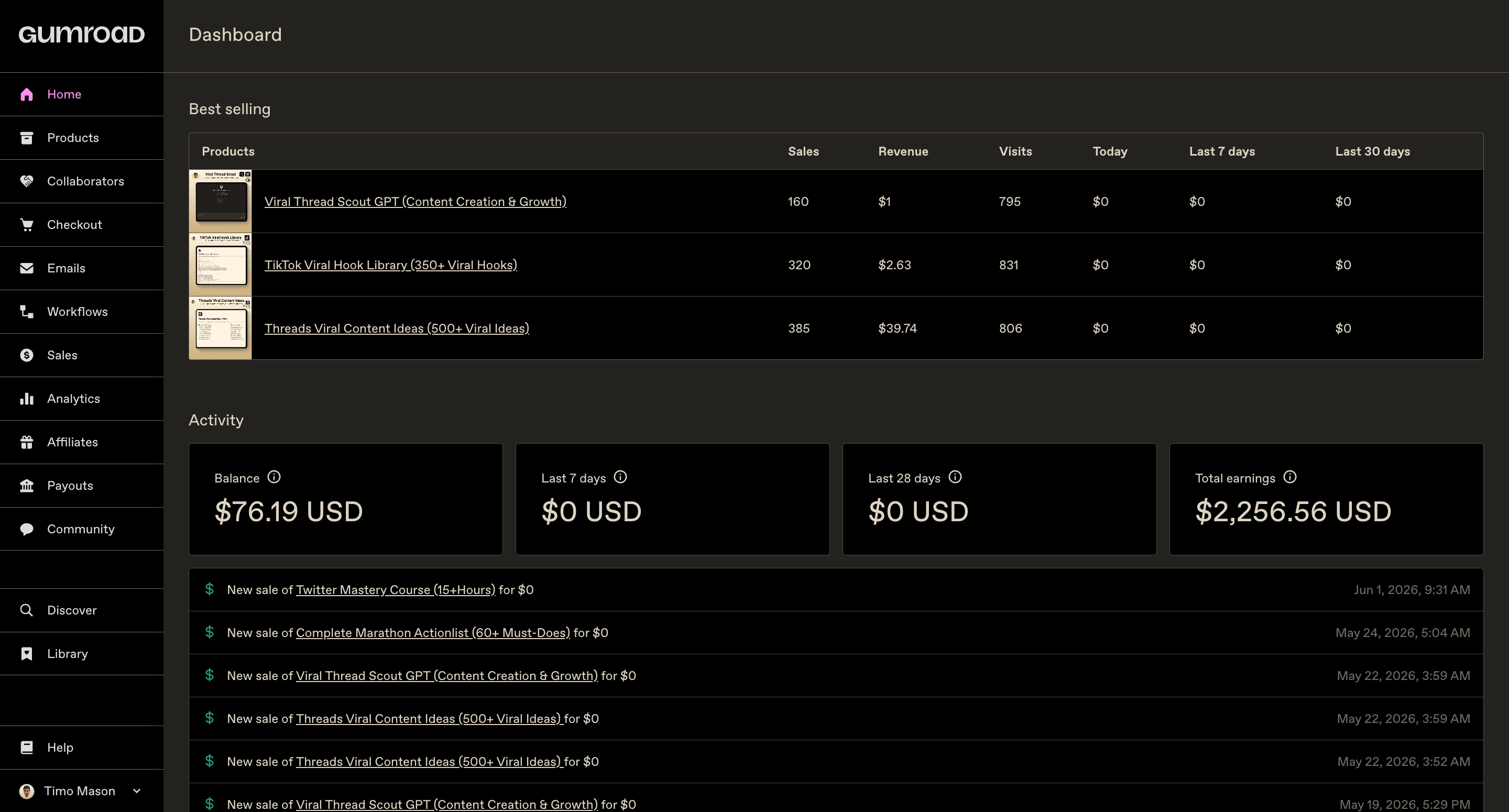
You have no idea what half of these sections are for, which ones actually matter, and where to even start.
Every button feels like a black hole absorbing you deeper and deeper into some random settings you’ll regret getting wrong.
Today, Anfernee and I are here to turn your confusion & doubt into clarity & determination. :D
Together, we have launched over 100 products and crossed 48,000+ total sales on Gumroad. What you’re about to read is everything we know about the platform, broken down so you can skip the trial and error we went through.
This is NOT some random “few-tips”, “few-settings” article.
This is THE Gumroad Gameplan, divided into 3 chapters.
Chapter 1: How to Navigate Gumroad
A section-by-section guide to the Gumroad dashboard for beginners that include upsells, email workflows, affiliates, and more.
Chapter 2: How to Create Your First Gumroad Product
A complete 10 step guide, from product type and pricing to upsells, settings, and marketplace discovery.
Chapter 3: How to Build Your Gumroad Storefront
Learn how to build a Gumroad profile page that looks professional and converts visitors into buyers. tabs, branding, featured products, and more.
Side note: this is the text-based version of a Substack Live I did together with Anfernee . If you’d rather watch 1 hour and 40 minutes of us going through all of this live, I’ll drop the link to the recording at the end of this article.
Let’s goo! 🤠

Chapter 1: How to Navigate Gumroad
The left sidebar is where everything lives in Gumroad. Let’s go through it top to bottom, so nothing catches you off guard.
Home
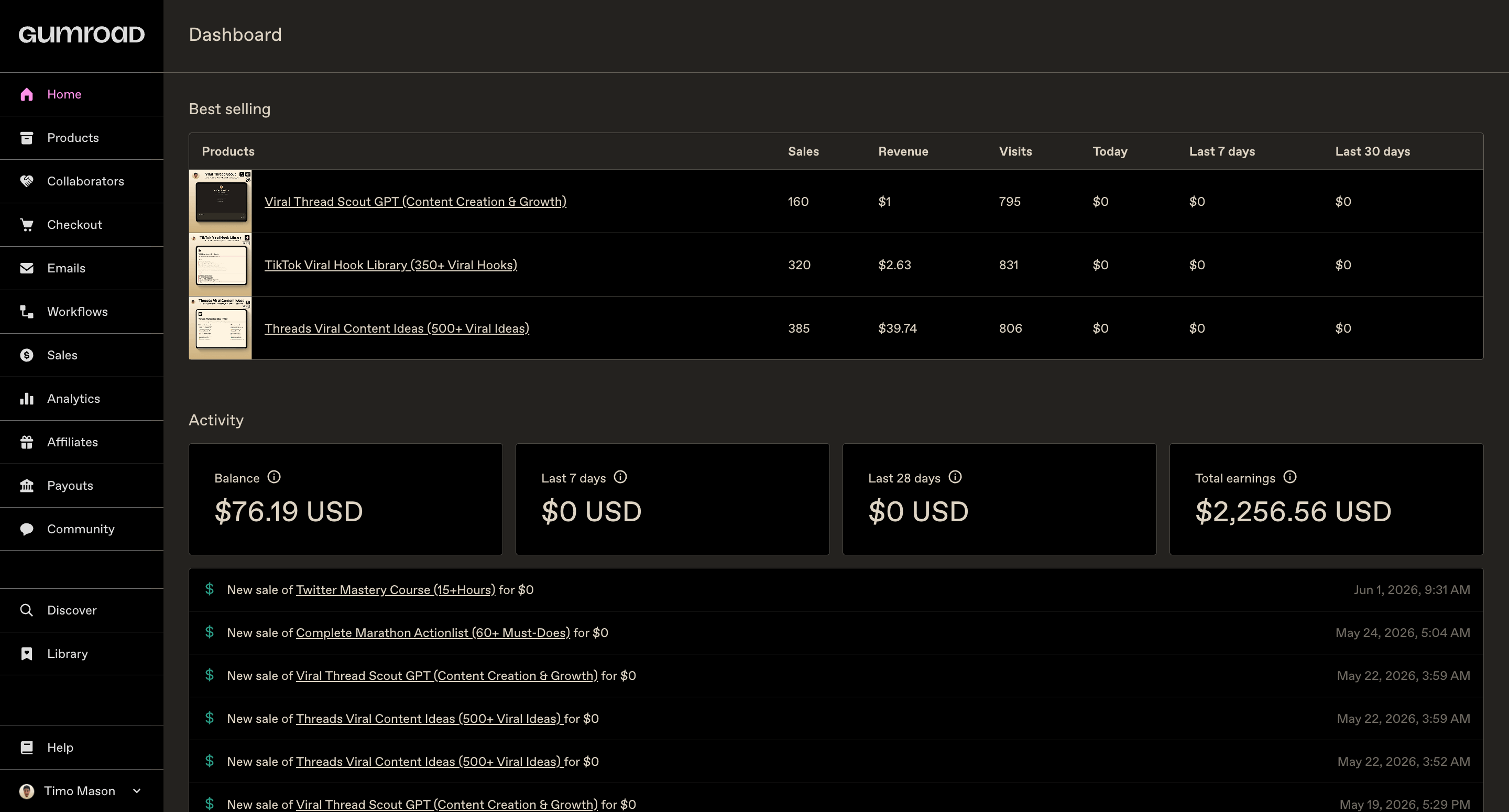
You’ll see your total sales, recent transactions, and a quick overview of how things are moving.
It’s the first thing you see when you log in, and it’s a nice gut-check on where you stand, but there’s nothing to configure here.
Products
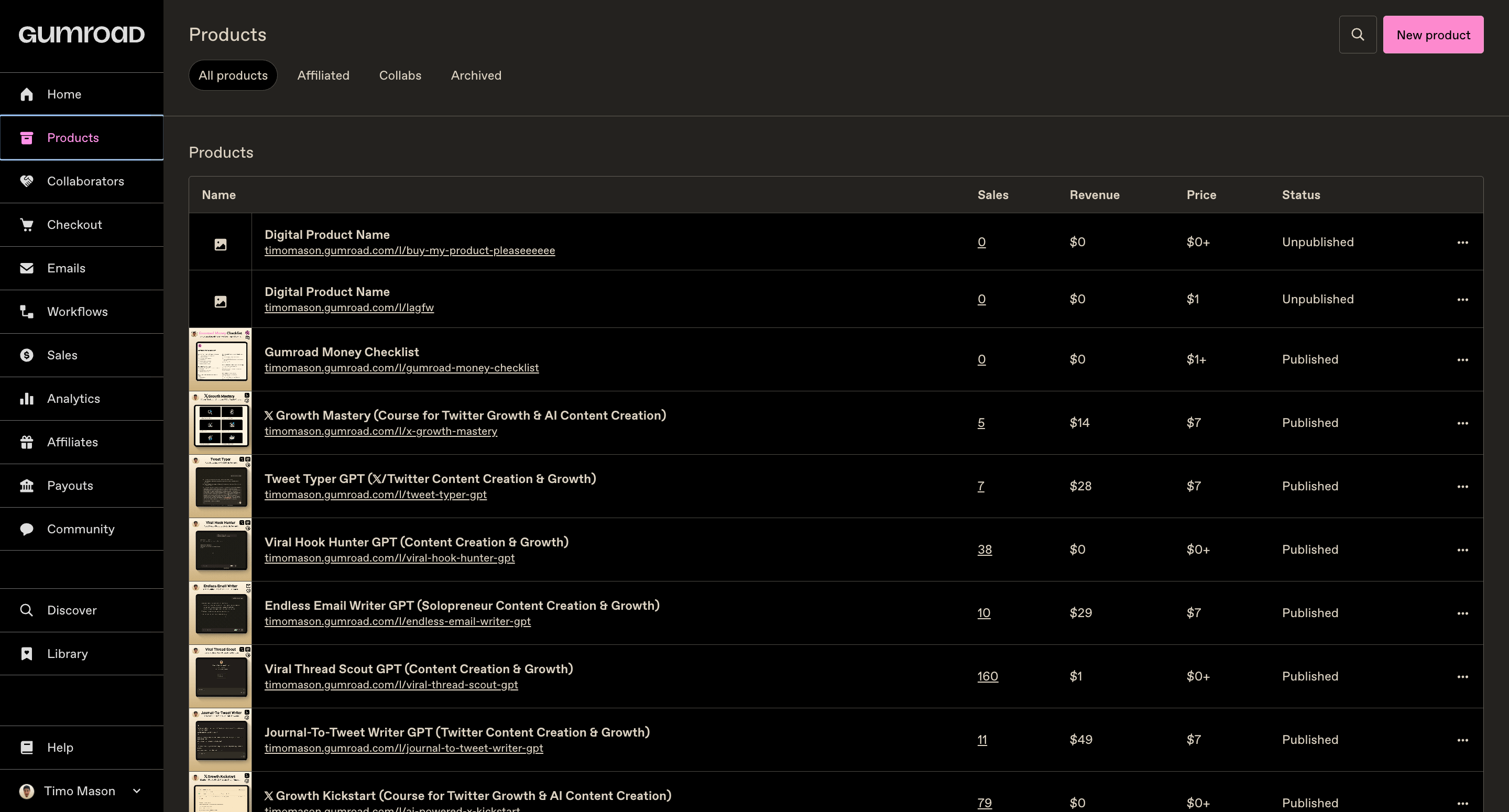
You’ll see each product, how many sales it’s made, whether it’s published or unpublished, and a few quick action buttons.
As soon as you start building a catalog, this becomes the page you’ll visit most.
Not sure what products to build first? This article shows you how to turn articles you’ve already written into your first digital product.”
Collaborators
Gumroad lets you co-create a product with another creator and split the revenue automatically. It sounds appealing on paper, but think it through carefully.
If you split a product 50/50, you’re cutting your profit in half.
A collaboration only makes sense if it doubles the value you can deliver to the customer.
Checkout
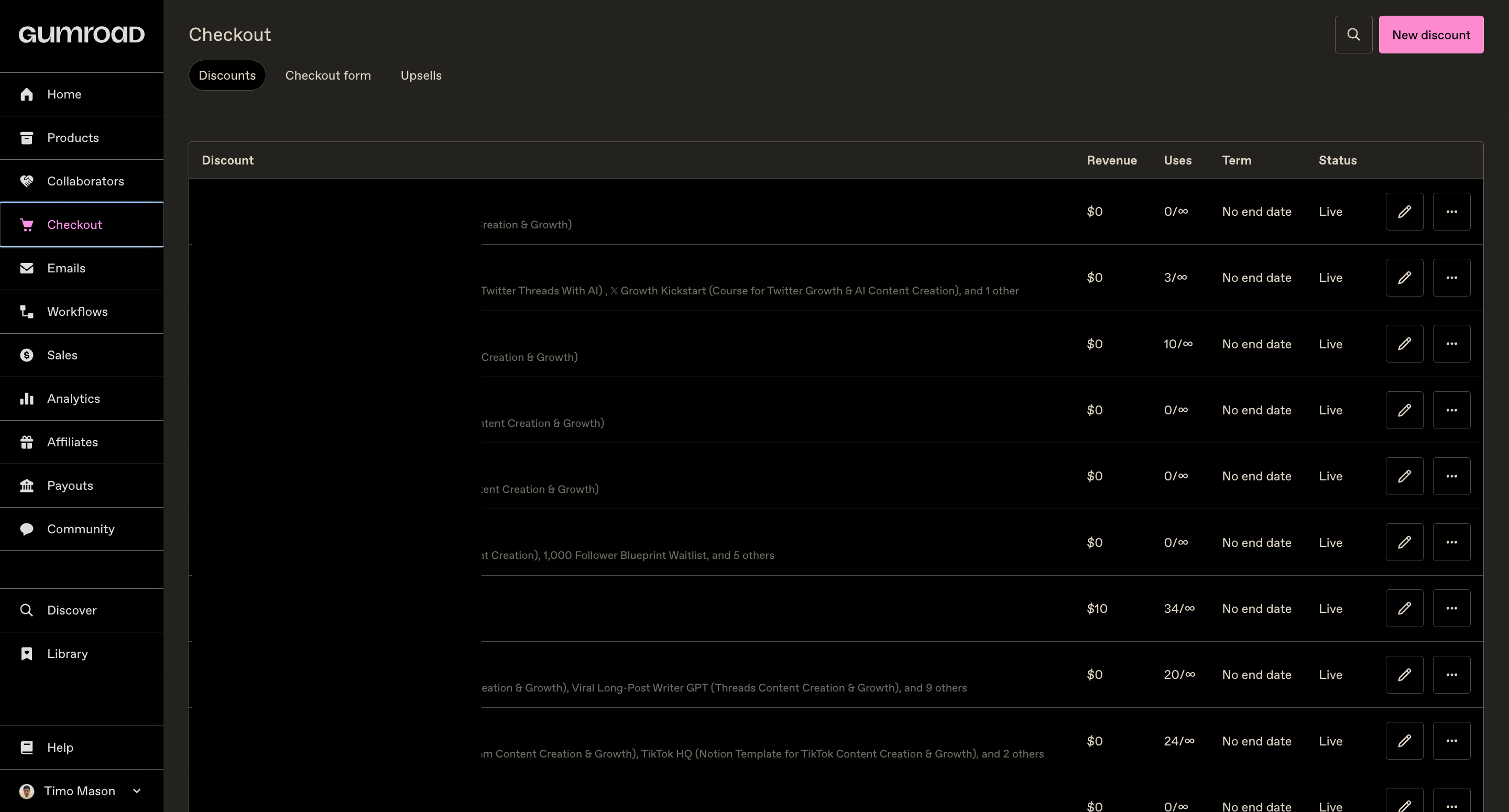
The Checkout section has three parts, and all are worth setting up properly.
1. Discounts
This is where you create discount codes for your products.
Use these when you’re running a promotion, rewarding your paid subscribers, or sending a special offer to a specific segment of your audience.
You can set an expiry date, a usage limit, or make it apply to specific products only.
2. Checkout Form
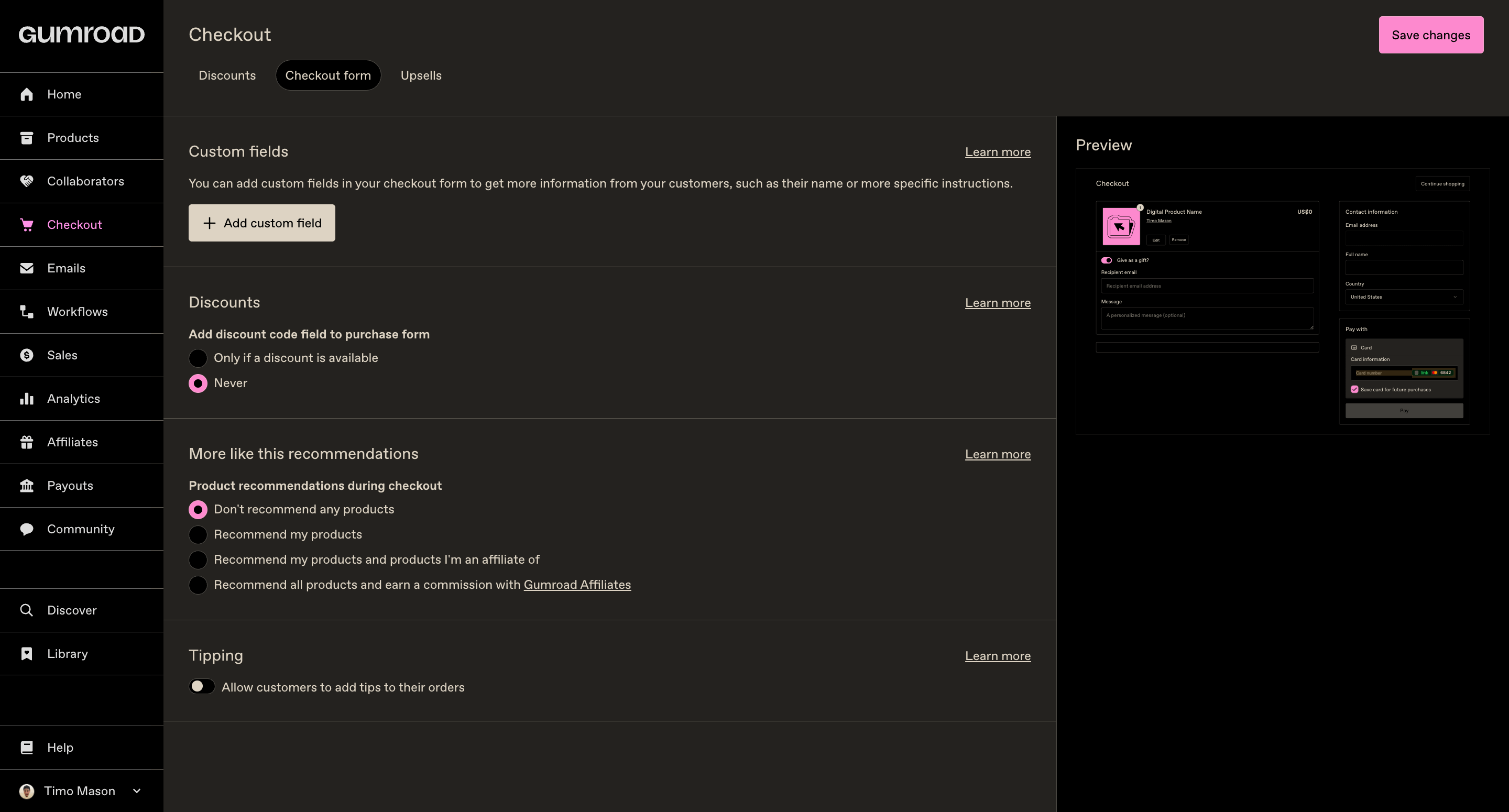
Your checkout form is the last step before someone pays you. Every extra field you add is a reason for them to hesitate, second-guess, or leave.
Keep it as minimal as possible.
The only goal of this page is to complete the sale, so here’s what your settings should look like:
3. Upsells
An upsell is a product offer that appears right after someone buys or downloads something from you.
They’re already in a buying mindset, so the chance of them saying yes to another offer is much higher than at any other point in the funnel.
The framework I use for every upsell:
The product they just got solved a problem. Now present the next problem they’re about to face and offer the solution to that. It’s a clean, logical progression that doesn’t feel pushy, cause it’s genuinely helpful.
For example, I give away a AI tool to create content ideas for free. The upsell is an AI tool to turn that idea into the actual content piece.
The copy goes something like this:
You just solved the problem of having no ideas. But now you’re going to face the real problem: actually writing the content. Here’s the tool for that, at a special discount.
Email
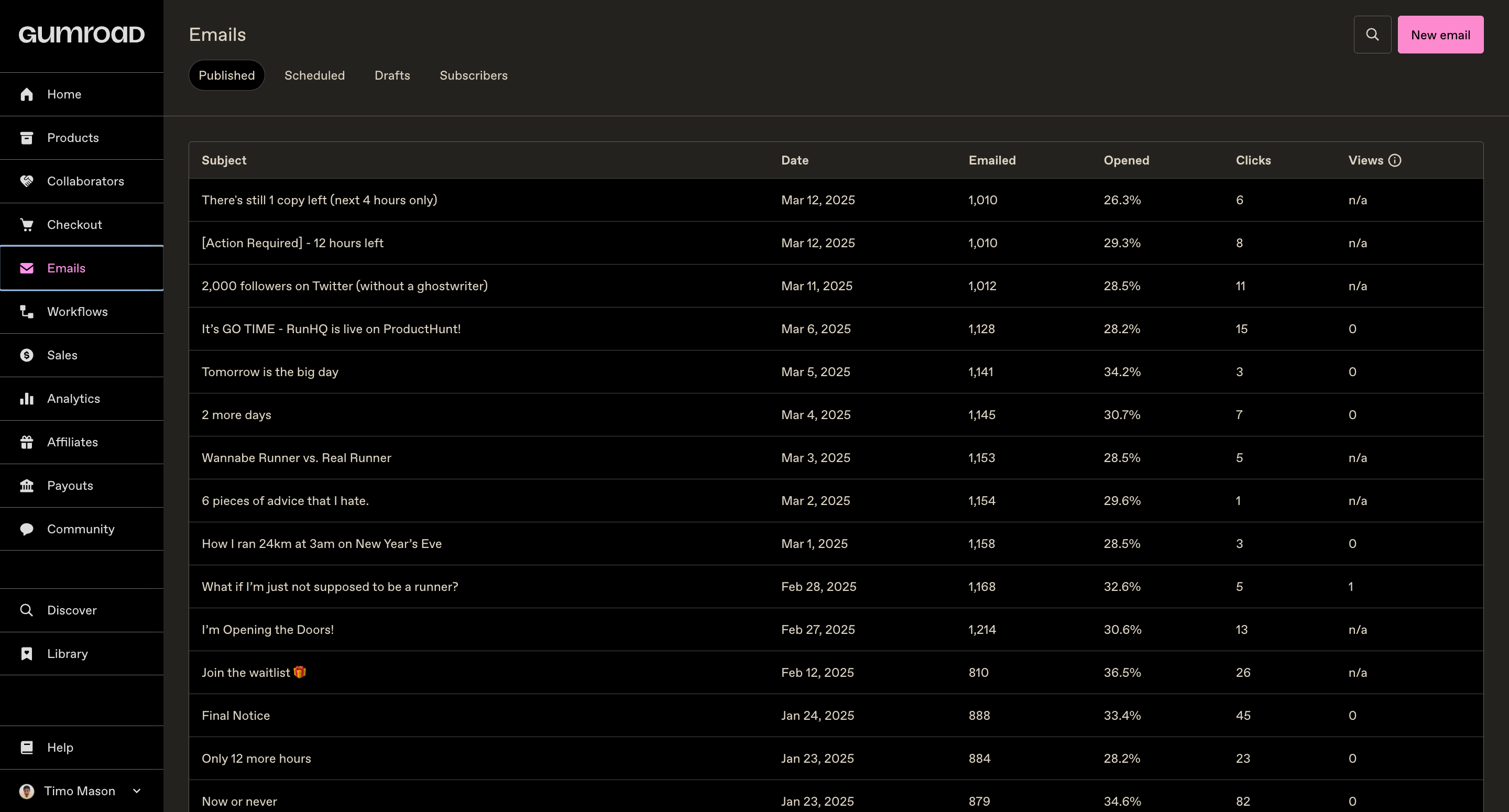
Gumroad has a built-in mail system you can use to send broadcast mails to your entire audience, and you can filter by segment: everyone, followers only, customers only, or affiliates only.
When you send a sales mail, always exclude people who already bought that product. Gumroad lets you do this natively, so use it.
There’s nothing worse than pitching someone on something they already paid for.
Workflows
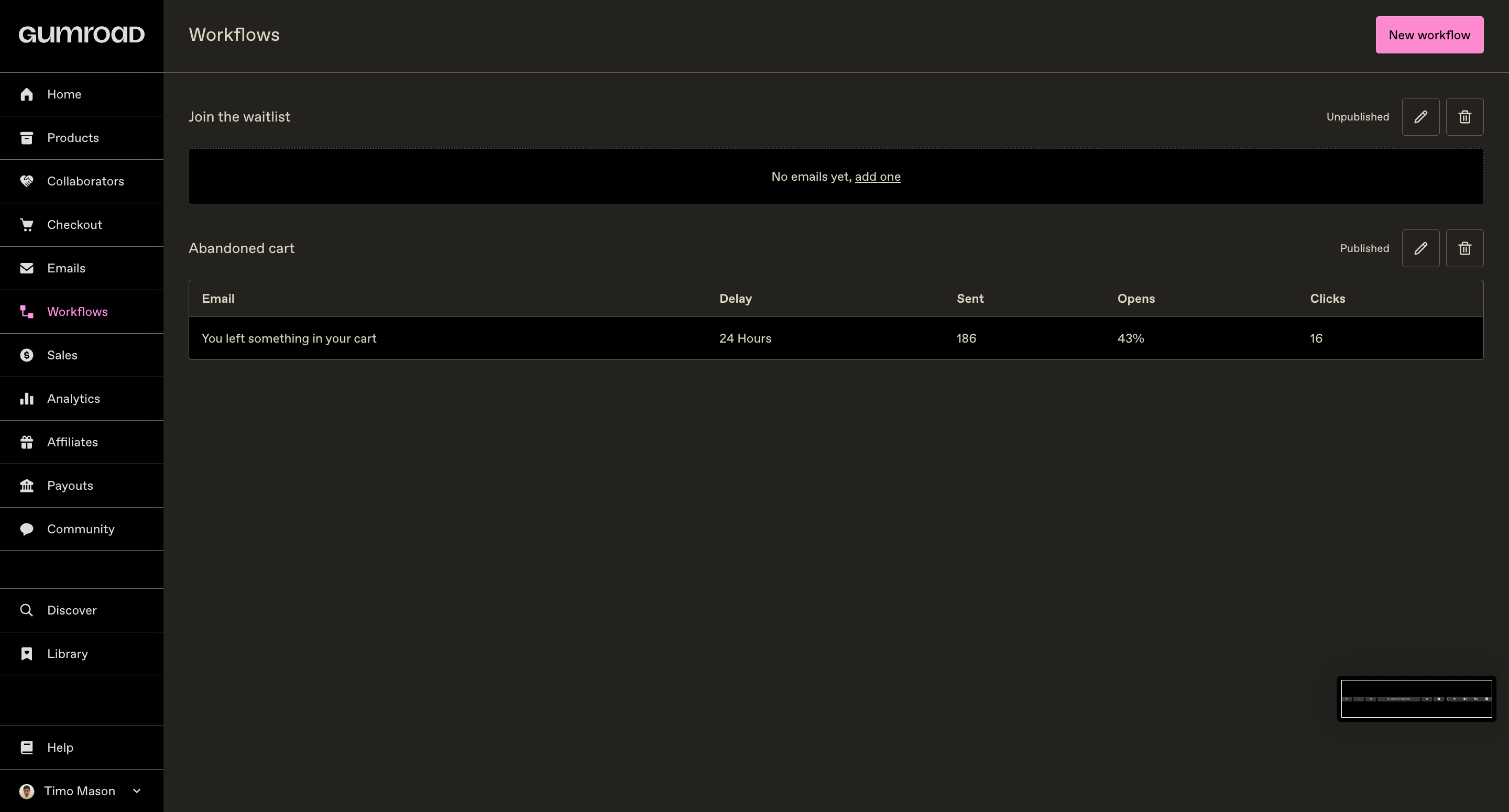
Workflows is a more advanced version of the email section, here you set up full-blown email automations
There are 3 types of workflow sequences worth building:
1. The lead magnet journey
When someone downloads your freebie, they enter a sequence that walks them through a journey toward your paid product.
2. The product onboarding sequence
When someone buys a paid product, send them a thank-you mail immediately, then a setup guide, then a check-in a day or two later, then a support offer.
3. The abandoned cart automation
Gumroad tracks when someone reaches the checkout page but doesn’t complete the purchase.
You can trigger a mail to those people automatically, something like “hey, you left something behind” and bring them back.
These are hot leads who were seconds away from buying. A single well-timed mail can recover a meaningful chunk of those sales.
Sales
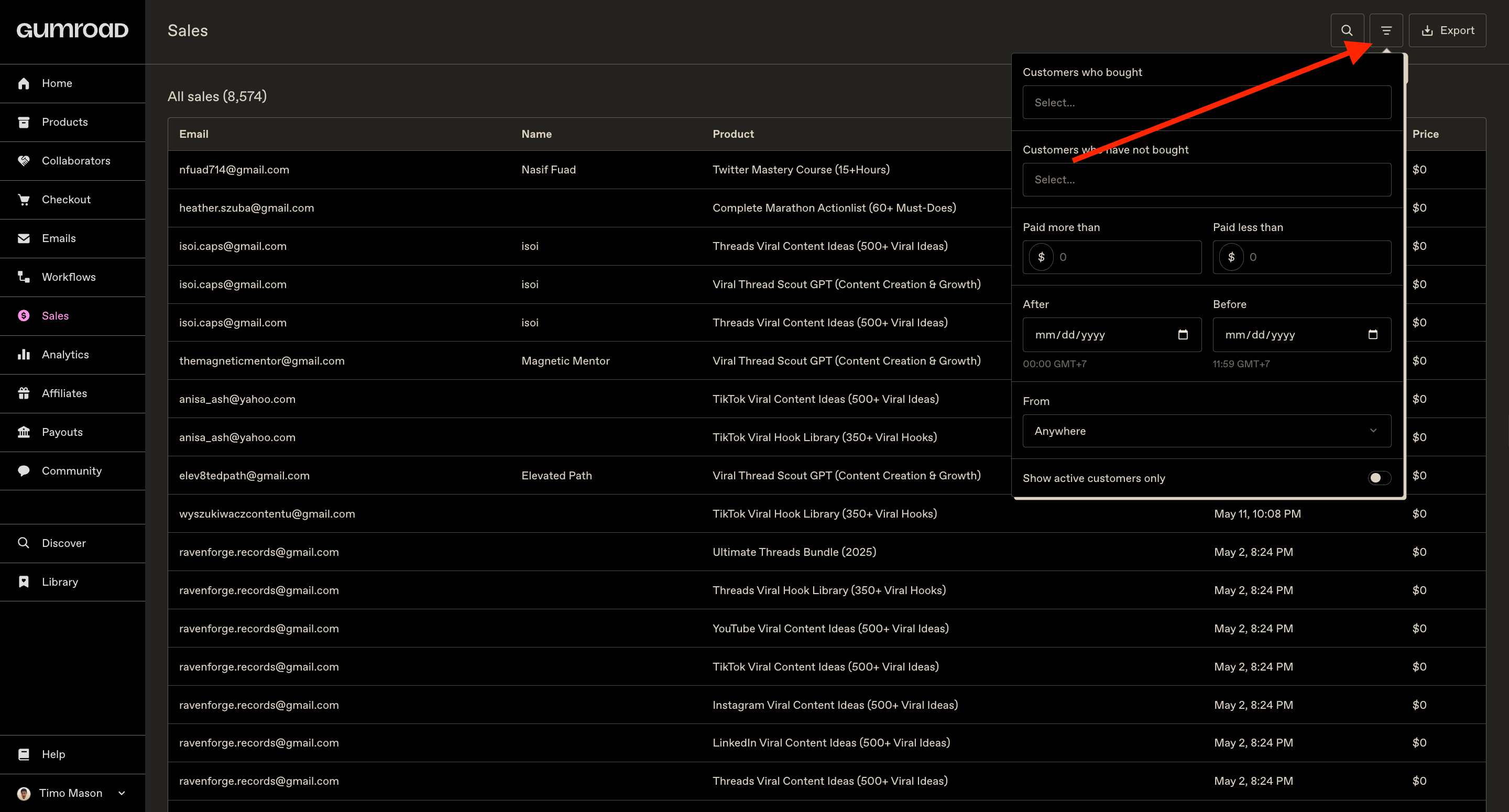
A full log of every paid or free transaction you’ve made.
Make sure to use the filter option if you are looking for something specific
Analytics
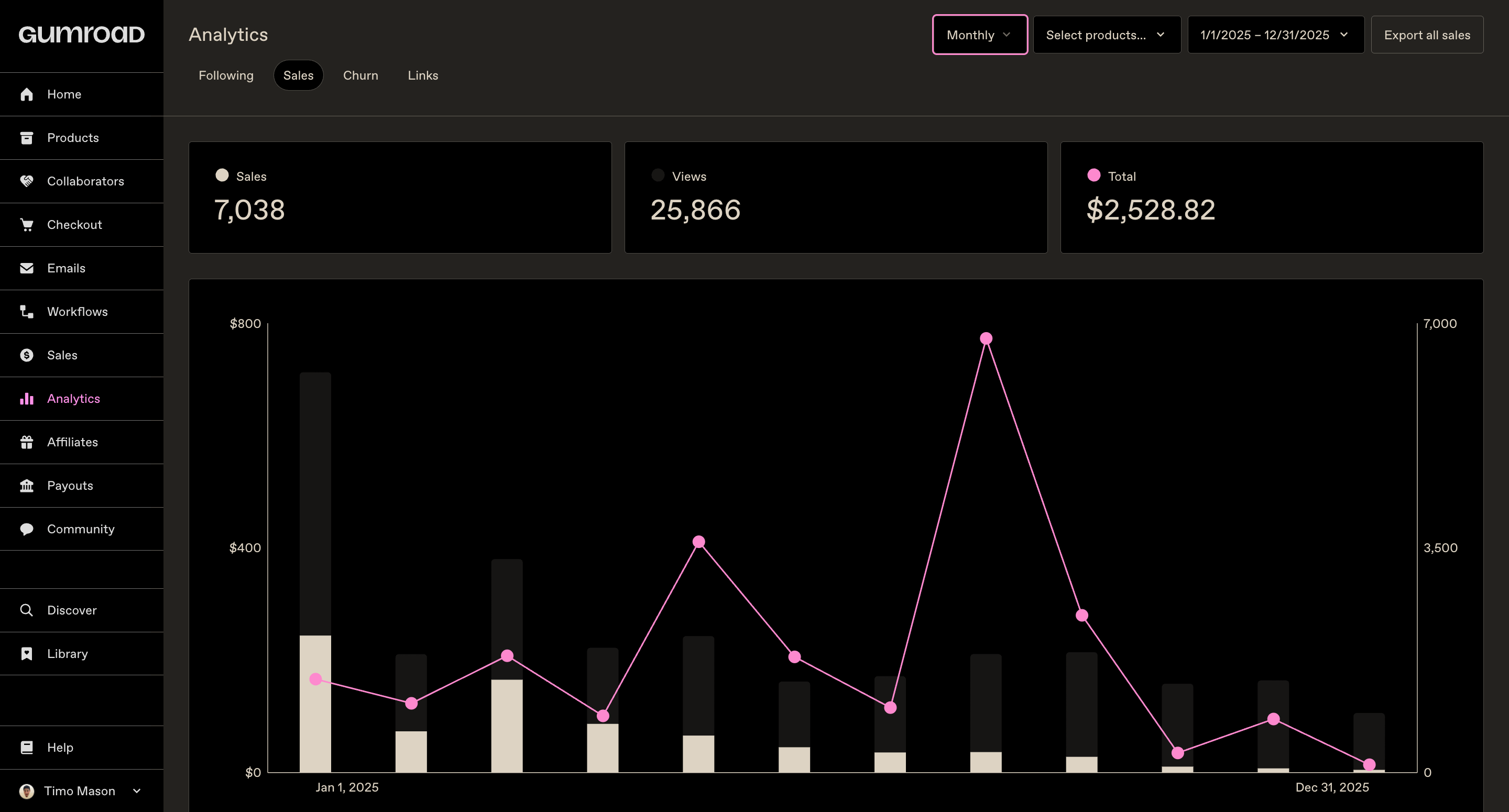
Traffic and revenue data over time. You can adjust the time range and see how your numbers move. Not something to visit daily, but useful for spotting trends.
Affiliates
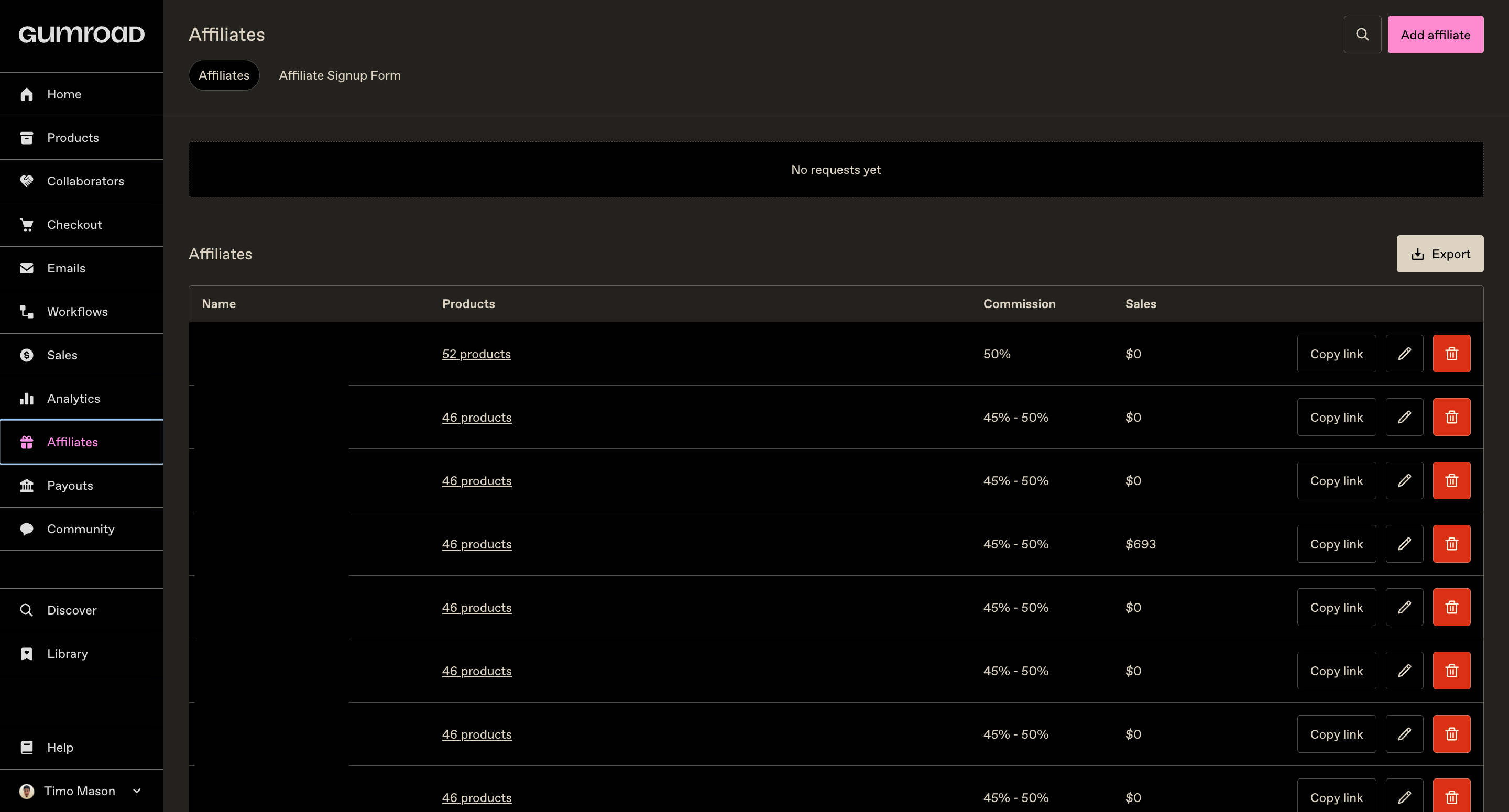
Affiliates are people who promote your products in exchange for a cut of every sale they make. Done right, this is the closest thing to a passive sales team.
4 things we learned from building an affiliate program:
1. Be generous with the commission
I offer 50% on pretty much everything. My thinking: without the affiliate, I make zero dollars from that sale. So splitting it 50/50 is a real partnership, not a favor to them. If you’re stingy with affiliates, the good ones will just promote someone else.
2. Beta testers are the best affiliates
Every time Anfernee launches a new product, he invites 10 to 20 people to test it for free. In exchange, they give him feedback and a testimonial.
Right after they submit their testimonial, you can invite them to become an affiliate, cause they’ve used the product, they know it works, and they can speak to it honestly.
Also tell them the future price of the product upfront. If they know the paid version will be $99 and they earn 50%, that’s $49.50 per sale. That’s a real incentive to actually promote it.
3. First product-market fit then recruit affiliates
If your product doesn’t convert, no affiliate can save it, and sending people to a broken funnel damages your reputation with them. Get your conversion rate solid first, then bring in affiliates.
4. Only promote complementary products yourself
There was a period in the Notion template world where everybody was an affiliate for everybody else, even direct competitors. That makes no sense. If you’re going to promote someone else’s product, make sure it serves your audience without competing with your own.
Payouts
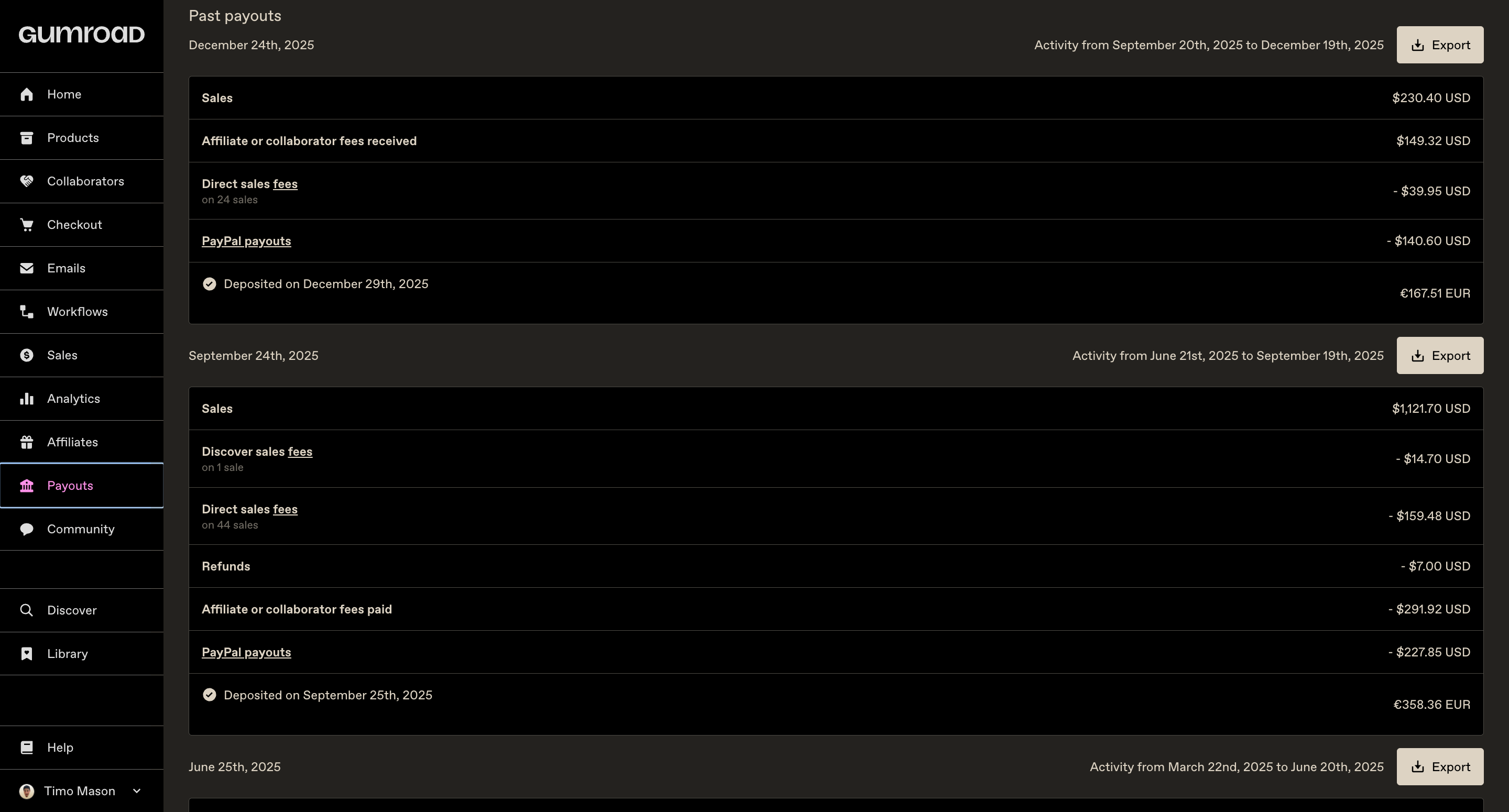
Overview of where your money lands, and the fees applied to your payouts.
Community
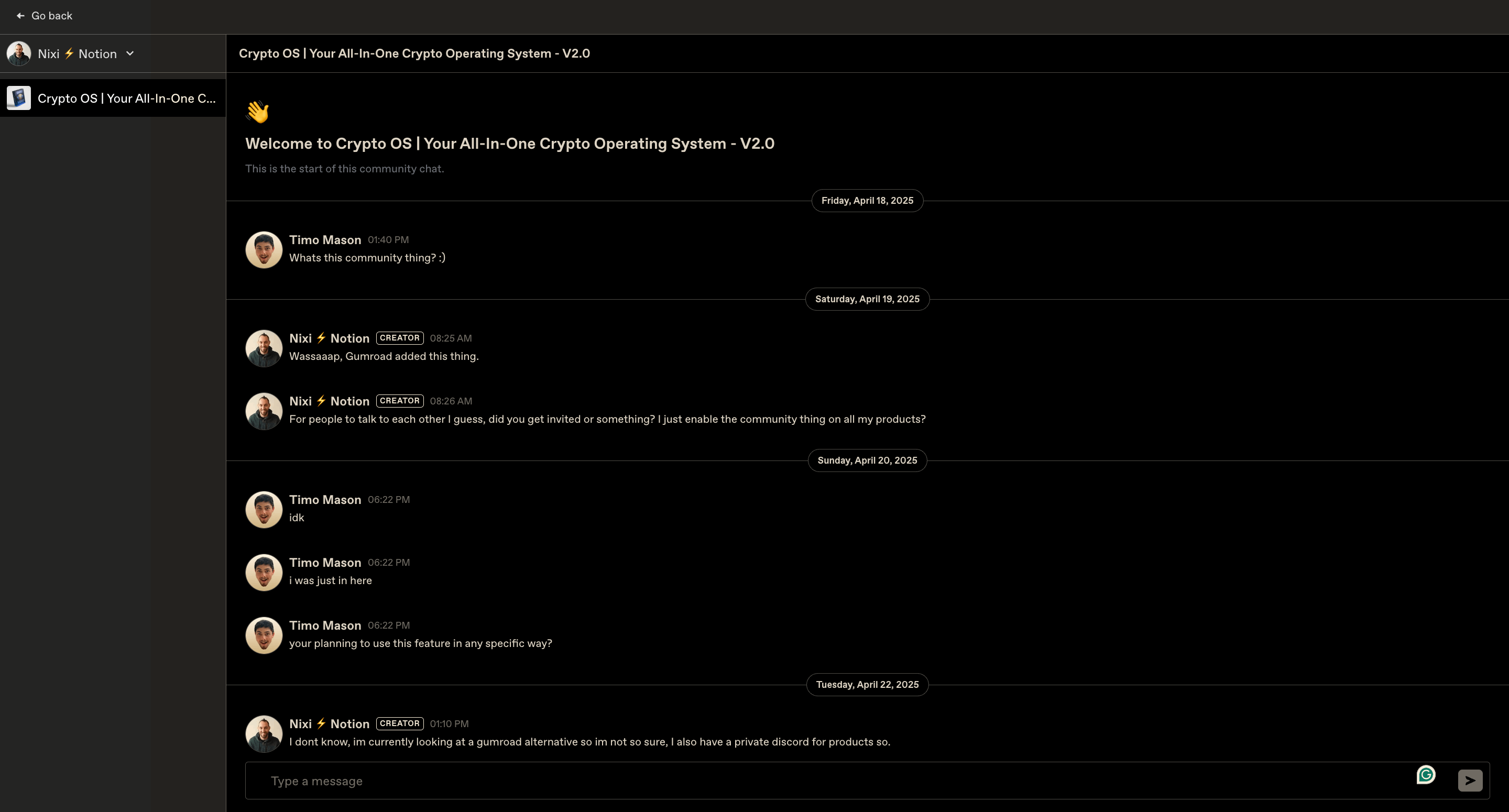
Newer section of Gumroad, but Anfernee and I use Substack for community-building, so not really relevant for us. :)
Discover
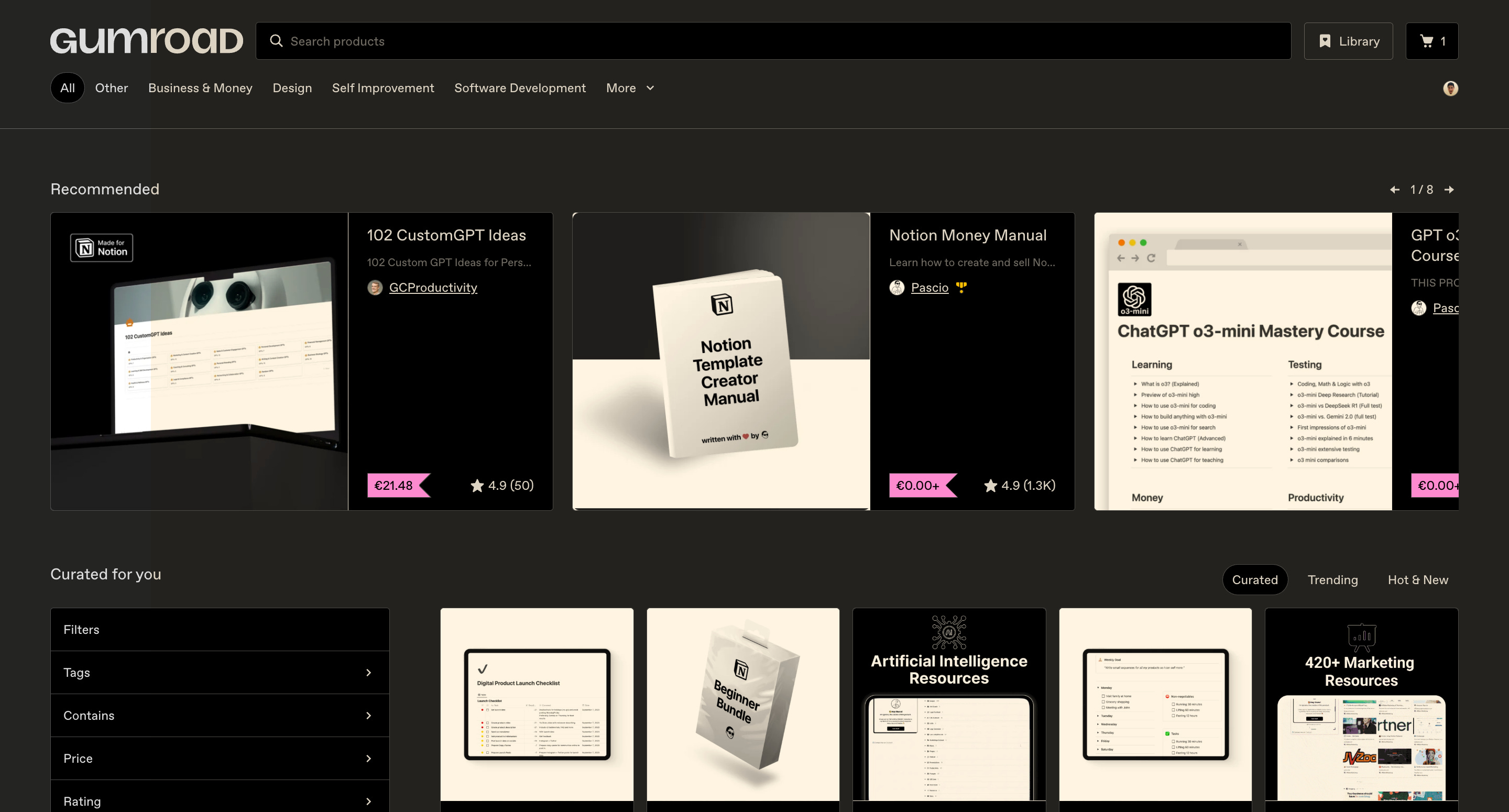
This is the Gumroad Marketplace (from the customer perspective).
Gumroad has buyers coming to it every day, searching for digital products. If your product is listed there new customers find you without any effort on your part.
Think of it like Amazon for digital products.
You wouldn’t write a book and only sell it from your personal website, you’d put it on Amazon, where buyers already are. Gumroad is that, for digital downloads.
Chapter 2: How to Create Your First Gumroad Product

 | A guest post by
|